Browser
All Timeworks functions are available in a browser. Handle bookings, resource and customer management, services and reporting in one solution.

Use Timeworks in a browser and on mobile. Outlook, display solutions, the online store and the AI assistant extend the ways users can access the system according to your organization’s needs.
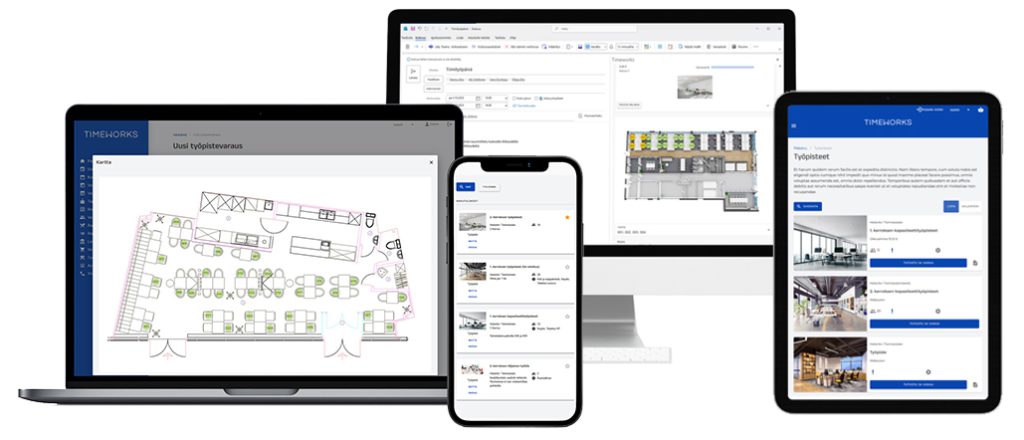
All functions of the modules in use in your organization are available both in a browser and on mobile.
All Timeworks functions are available in a browser. Handle bookings, resource and customer management, services and reporting in one solution.
The responsive interface adapts to phone and tablet screens. All Timeworks functions are also available on mobile.
The Outlook app, display solutions, the online store and the AI assistant are selected and introduced as part of your organization’s solution.
With the Timeworks Outlook application, you can book meeting rooms, workstations and parking spaces and place catering orders directly in Outlook. You can book a meeting room and catering while creating a meeting invitation.
Explore the Outlook integrationSee a room’s booking status on a room display and book an available room on site. Information and overview displays bring the current situation into view.
Explore information display solutionsCustomers and residents book spaces, sites and services independently online. Payment can be included in the booking where required.
Explore the online store
Book spaces and services through conversation with the Timeworks AI assistant, powered by artificial intelligence. Available as an optional service within the Timeworks user interface.
Explore the AI assistantChannels, permissions and the functions available in each channel are selected according to your organization’s needs. The solution can also connect to calendars, payments and other systems in use.
Explore integrationsLet’s explore the Timeworks solution that suits you.